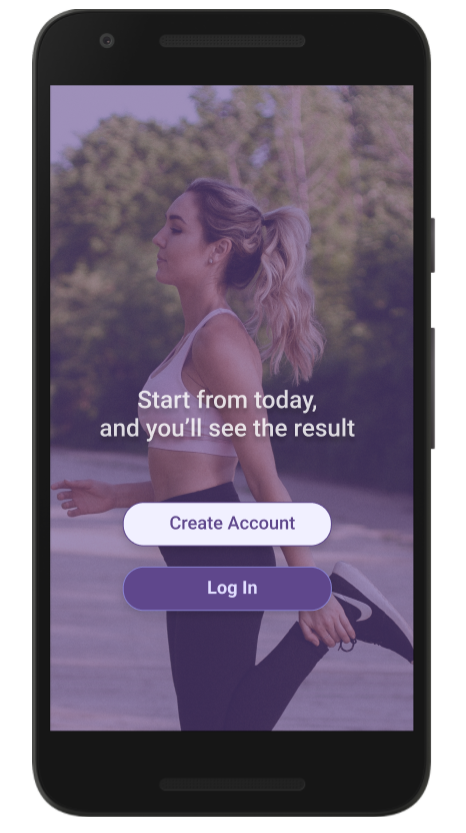
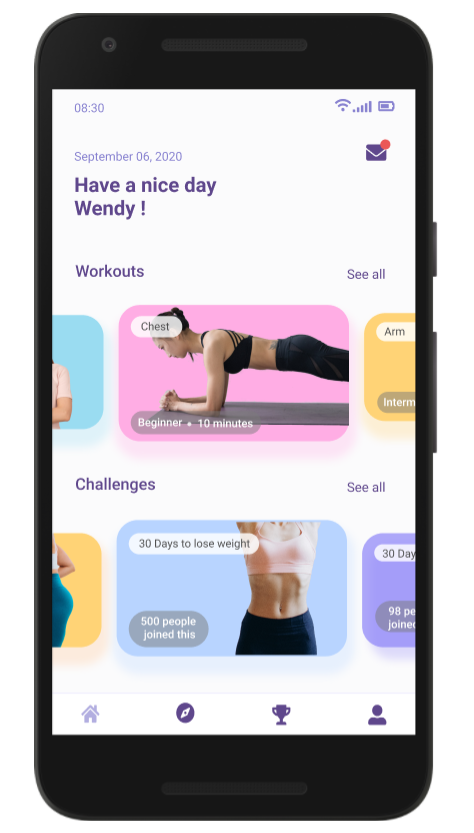
This project is to create a design of home fitness mobile apps for those who can't manage their exercise routine on a several situations.
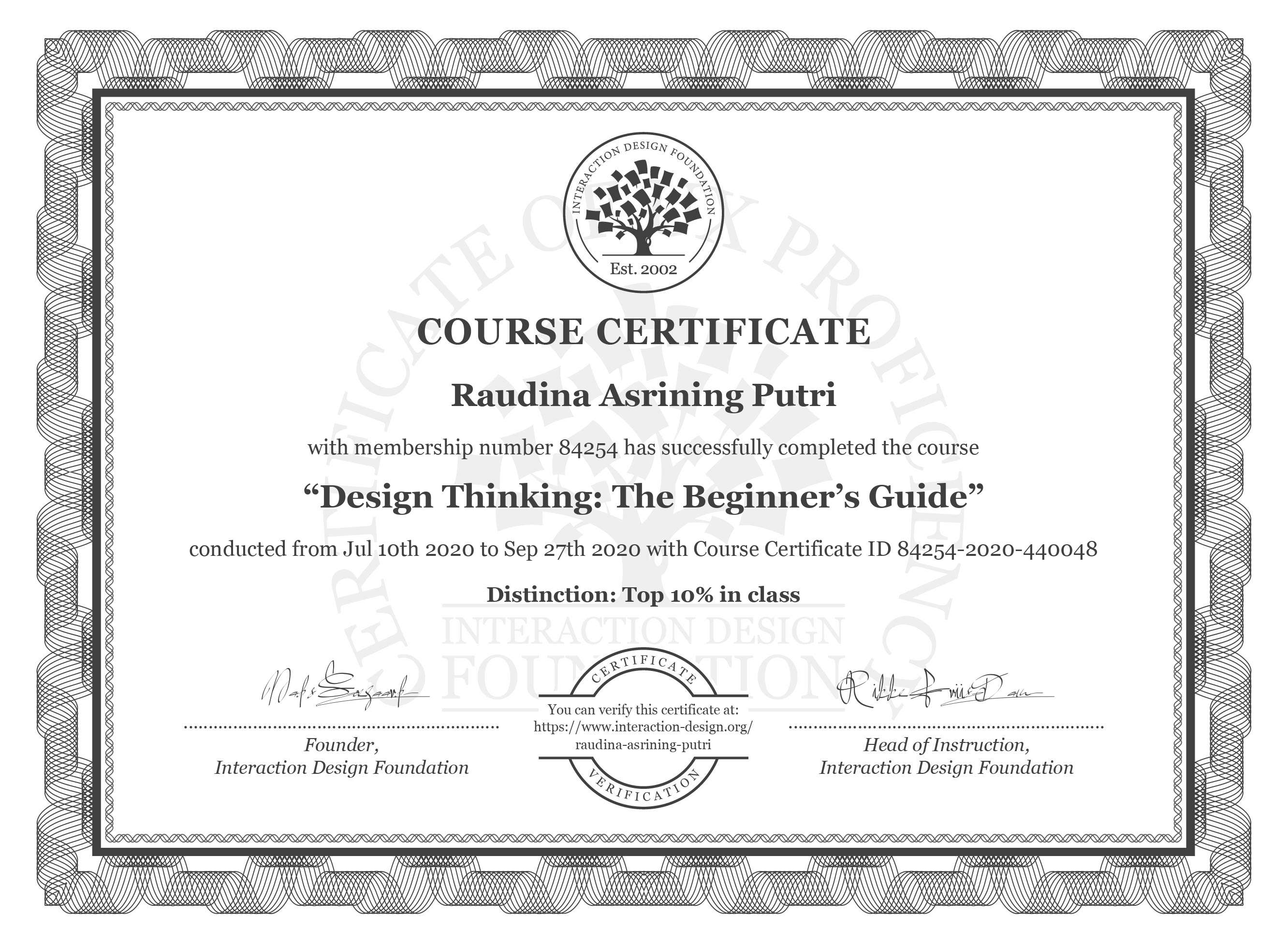
This project is guided by The Interaction Design Foundation as an individual project in Design Thinking class.
August 2020 - October 2020
UI / UX Designer
People can't manage their exercise routine because of their busy schedule and they need something to keep them stay motivated to exercise.
- Create design of home fitness mobile apps to help people manage their exercise routine
- Make people stay motivated to exercise to achieve their own goals
- Provide an effective, simple and non-time consuming exercise for a busy workers
People who want to exercise more, but for various reason, they don't get around to it.
- Limited budget
- Limited resource
I used 2 methods in this research, user interview & probes for context mapping. I conducted user interviews with 6 participants (on their 20s) who don't exercise as much as they would like to, and also who are smartphone users.
I tried to figured out why my participants want to exercise, what concretely happens when they do manage to exercise and what concretely happens when something prevents them from exercising.
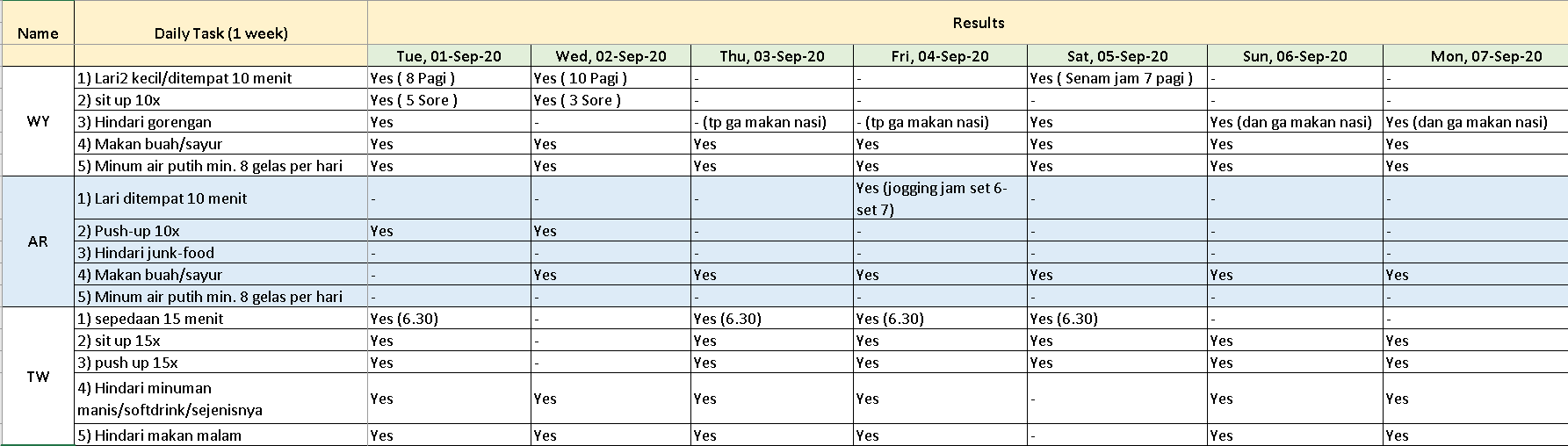
Probes for context mapping
On the user interview, I learned and tried to find out my participant's habits and their motivation to exercise. Otherwise, on the probes method, I tried to get my participants to reflect differently on the way they exercise. I give them task for a week based on their interviews.
I collect the information that gathered in the user research. I made a synthesis and developed the understanding about my user's need. Then, I started to create an affinity diagram to analyze and identify the major themes in my data
.jpg)
Affinity diagram provides a clearer overview of the most important themes in my collected data. After that, I drew an Empathy Map to chart how user's talk, act, think and feel.
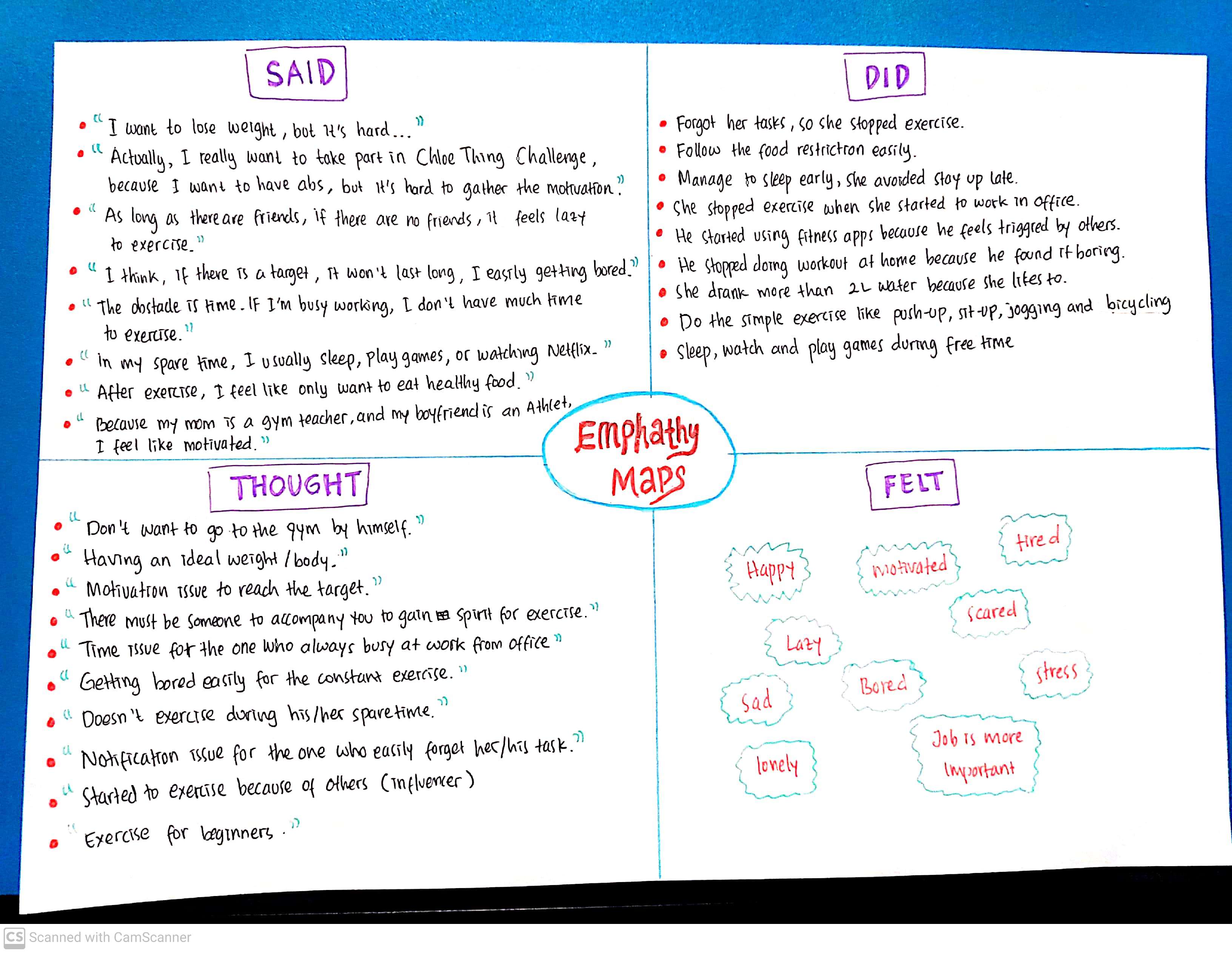
After reviewed each theme in my affinity diagram, I wrote down significant quotes and keywords in the relevant quadrant. I looked at each quadrant and translate it into user needs related to that quadrant.
By using affinity diagram and empathy map, I developed user personas to define the type of person that I am designing for.
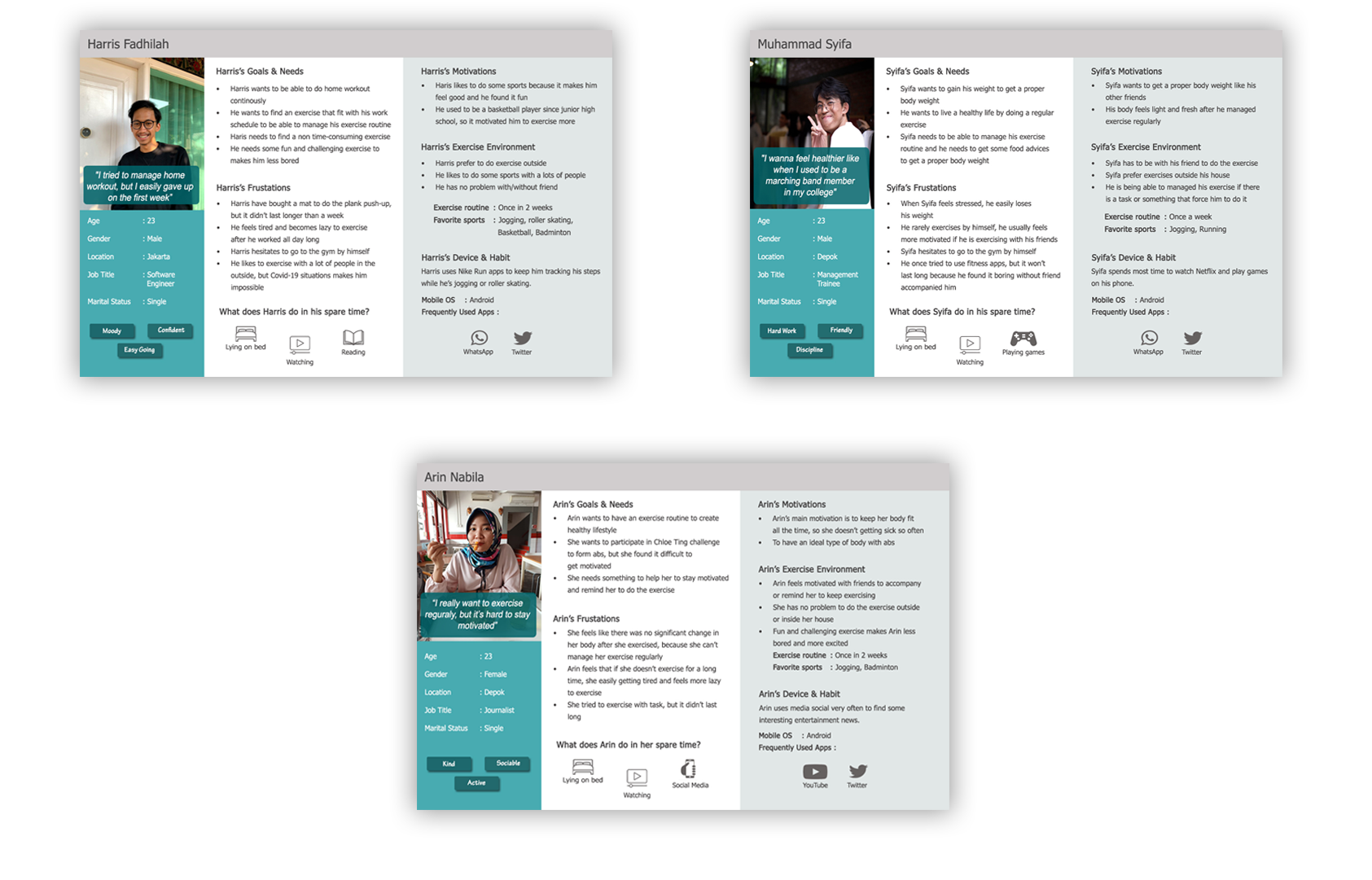
I defined the stories about 3 main characters for user personas to gather the major motivation, needs, goals and their pain points.

Based on the personas, I wrote down the needs and defined a POV to crystallize their needs by selected 3 key user needs. Then, I convert the key points into actionable prompts by asking "How Might We" question.
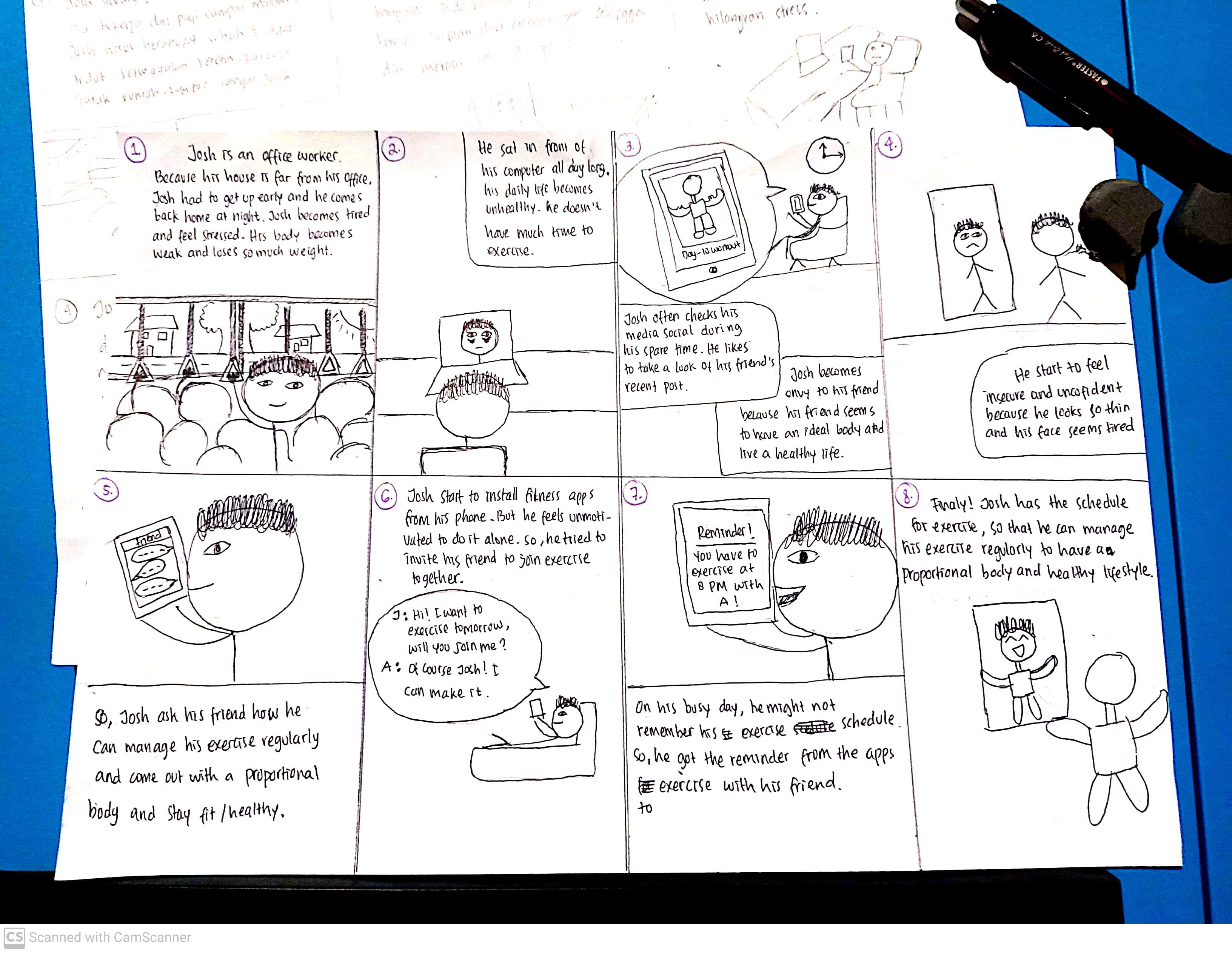
After I faced user's problems, I tried to find the solutions and came out with some ideas that might be added into this apps, including:
1. Quick workouts
Because most of people feels like they do not have much time to exercise, I tried to figured out a kind of non-time consuming exercise. Then, I came for some quick workouts which is less than 7 minutes with several difficulties.
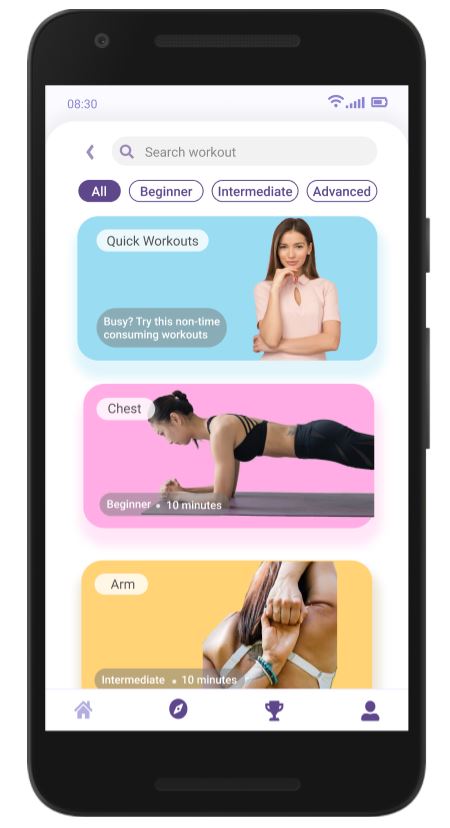
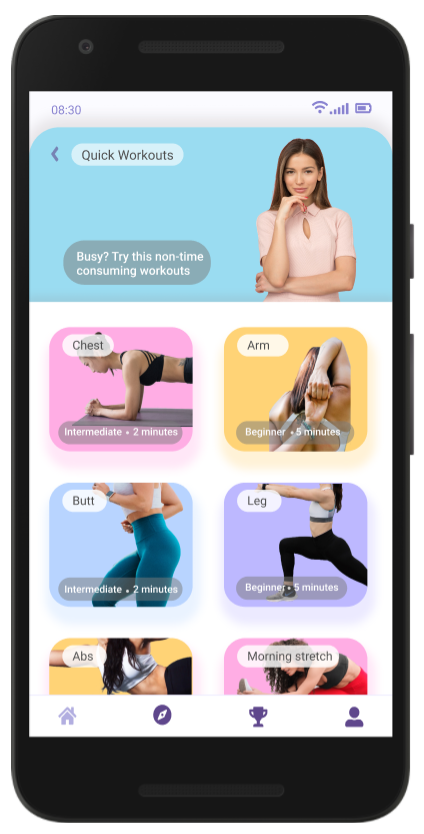
Quick Workouts Menu
2. Exercise with friends
Since there are a lot of people feel more motivated if they are exercising with friends, I came up with an idea to added video call feature while exercising, so that they can do the exercise together.
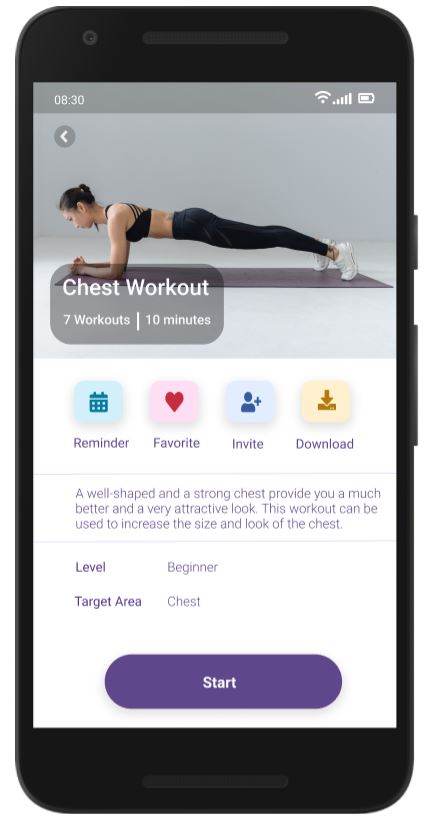
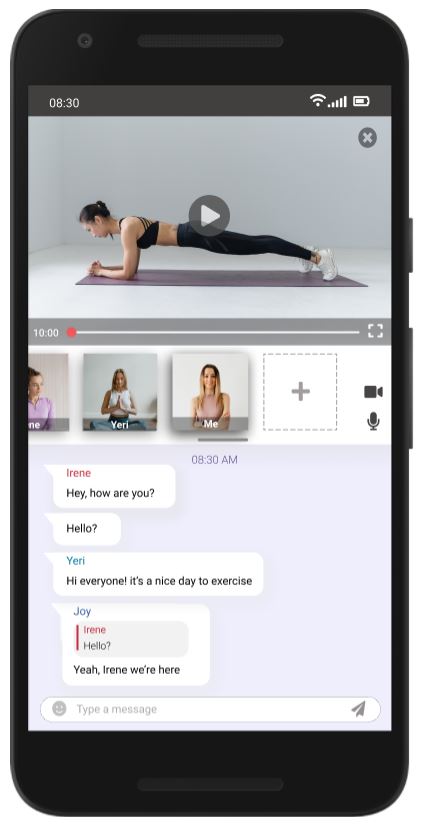
Workout Overview and Main Screen
3. Feeds
Some of my participants said that they feel triggered by others and started to do the same things. So I added a feeds or timeline that consist of people's updates every time they finished their exercise.
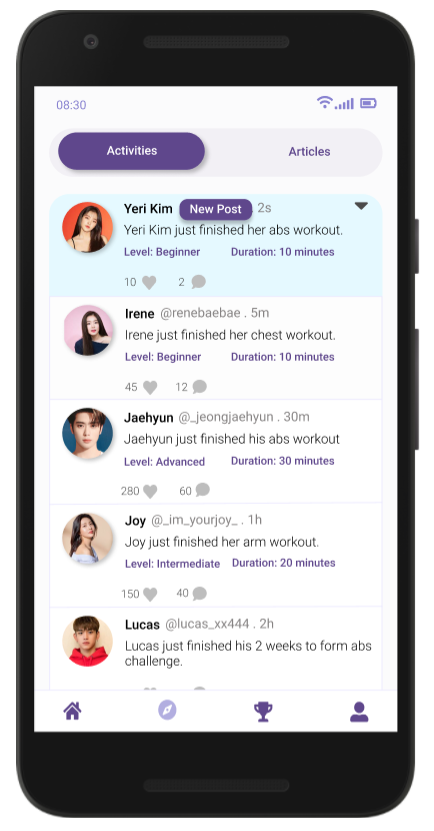
Feeds of people's updates
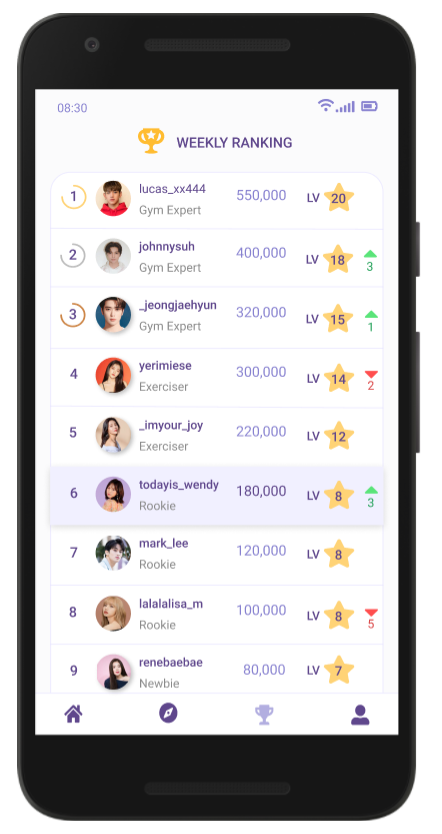
Leader Board
User Flow
Before I drew some sketches, I map out the elements of the app and connect them as a user flow. It shows the paths where user can navigate the app and to get to the specific elements. I created a simple flowchart to show the flow.
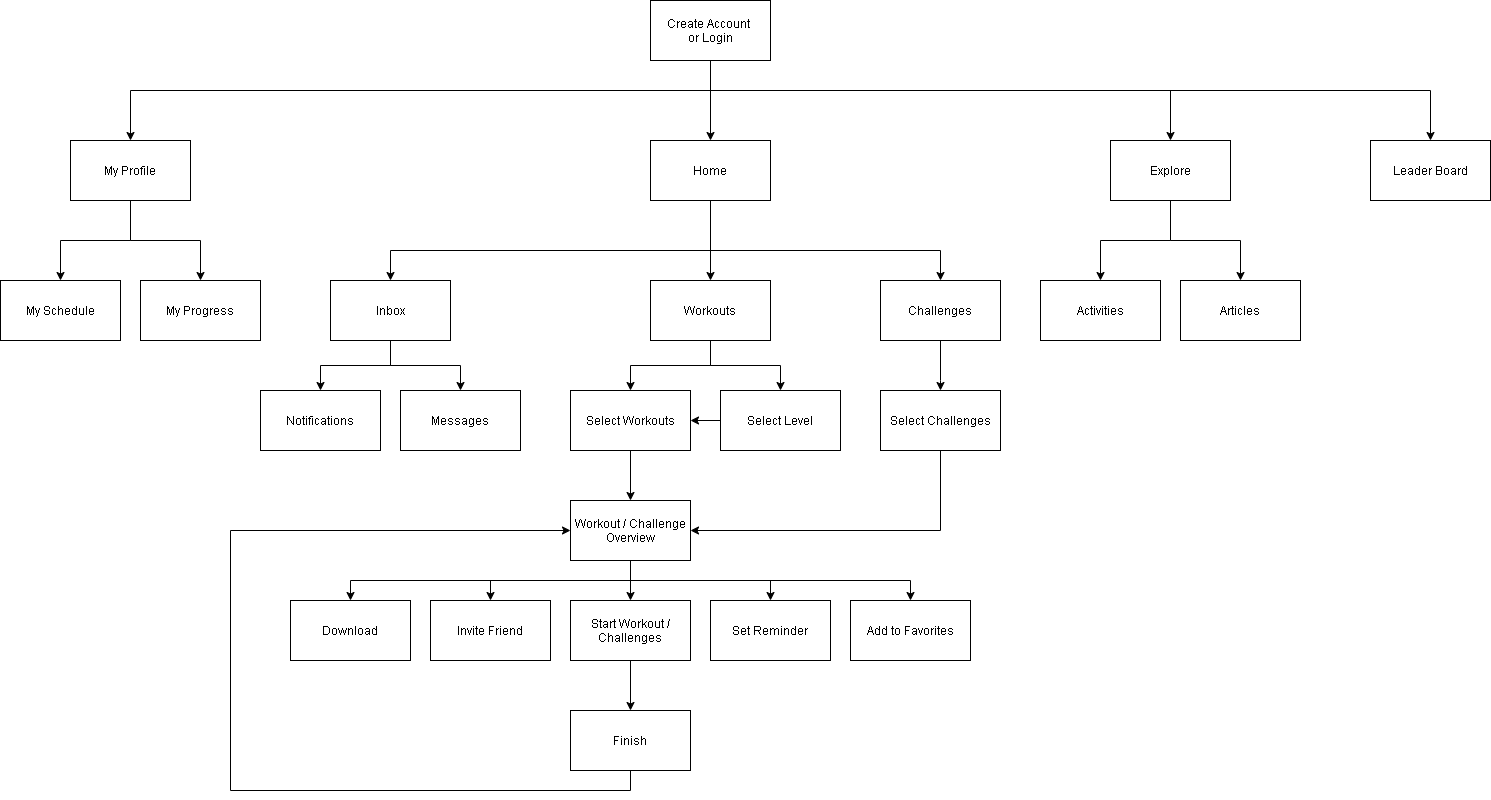
Flowchart
Prototype
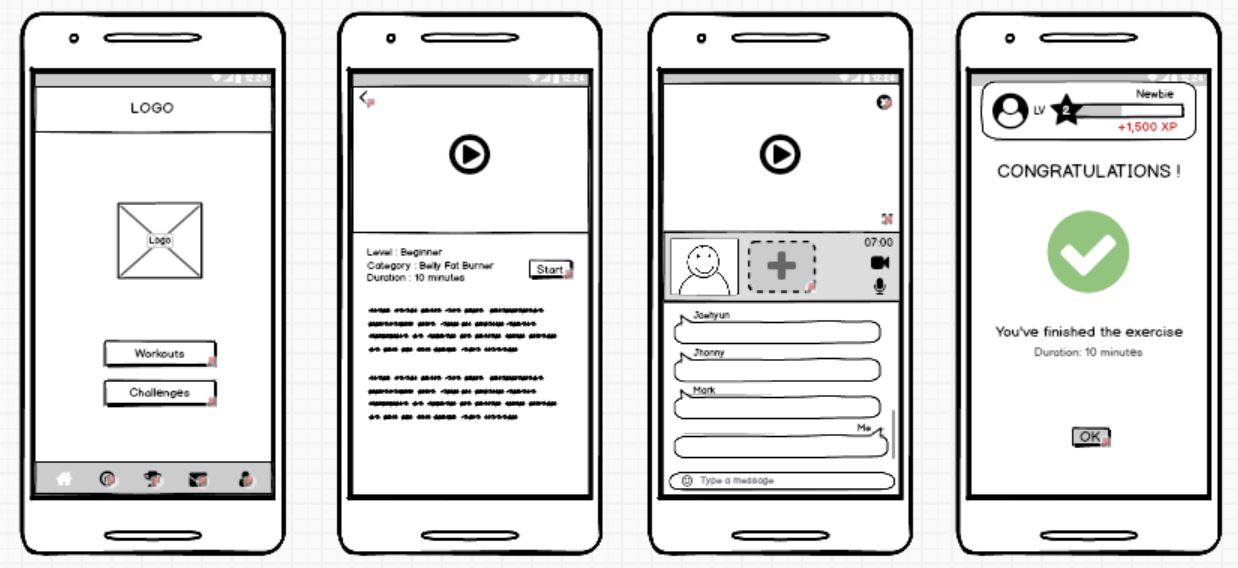
I drew the design sketch into a paper. I drew all the main menus to present my earliest design ideas. On the paper, I saw many ineffective elements for the apps. After several improvements, I decided to turned the design sketch into low-fidelity prototype.
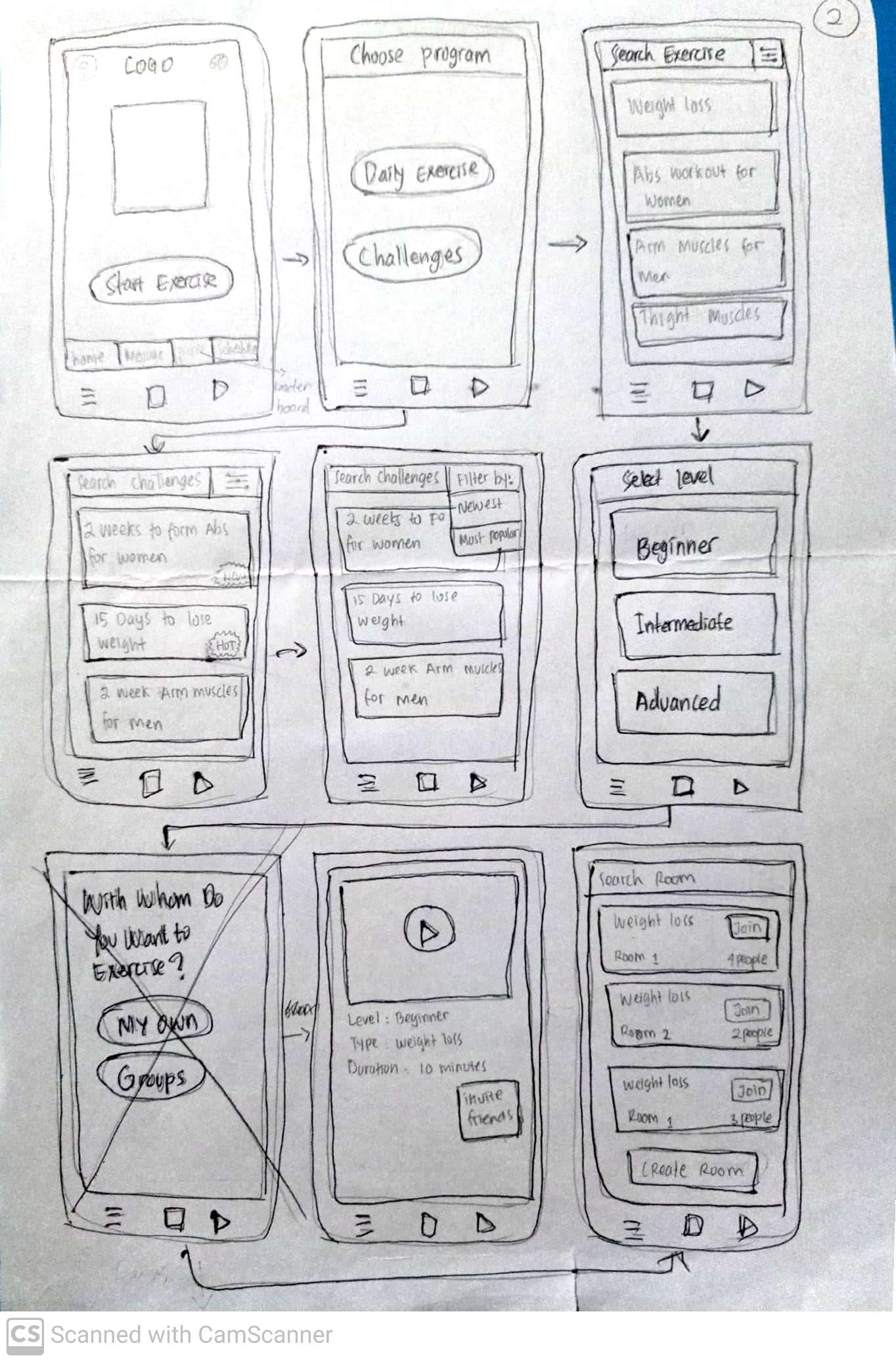
Design Sketch
.JPG)
Low-fidelity prototype
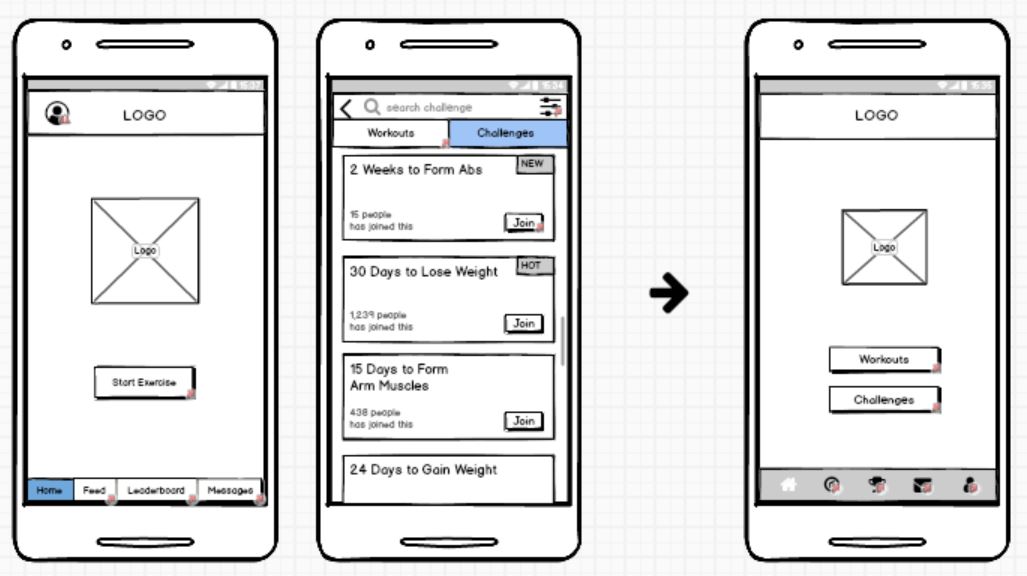
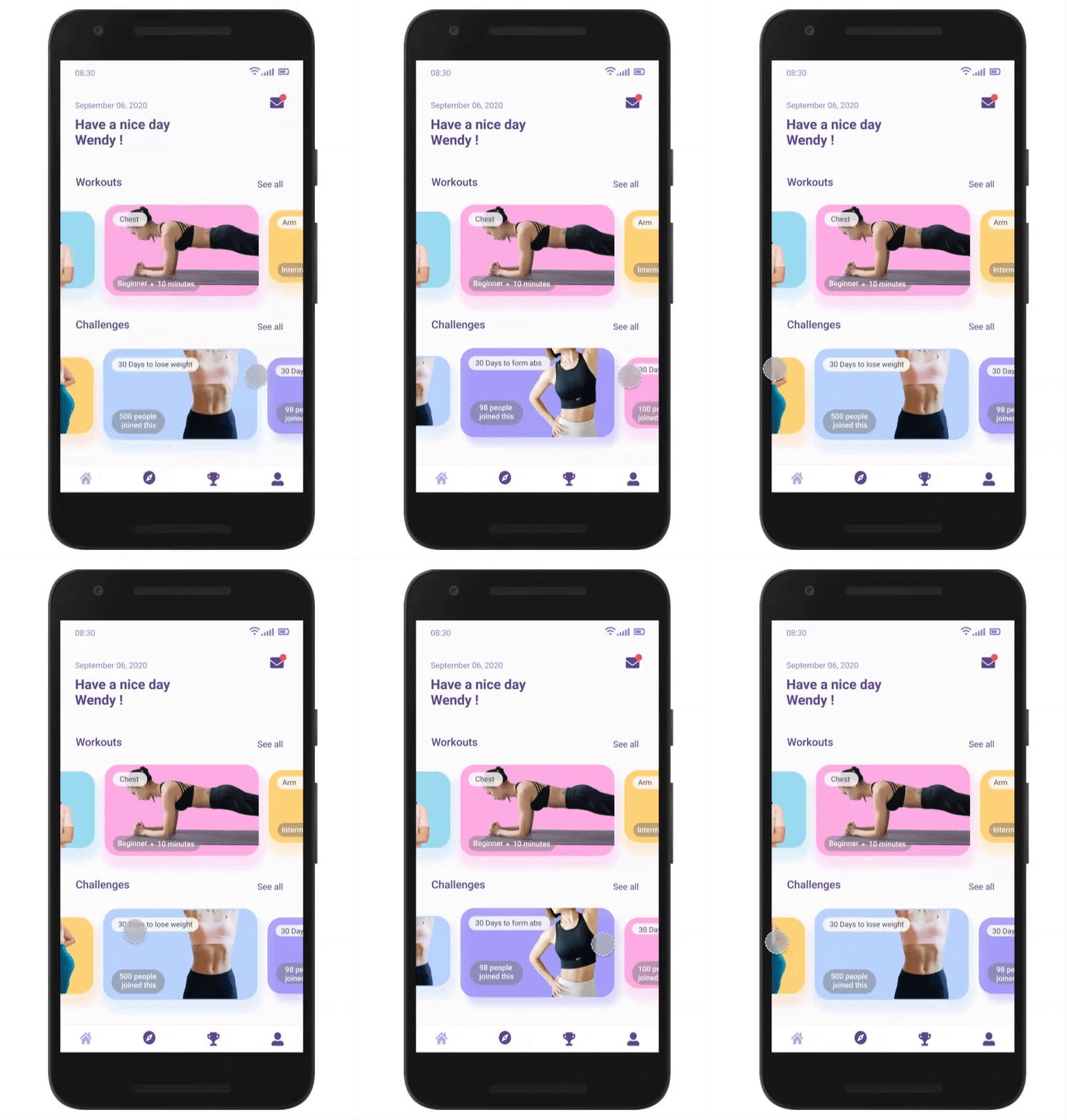
Move the challenges into main menu
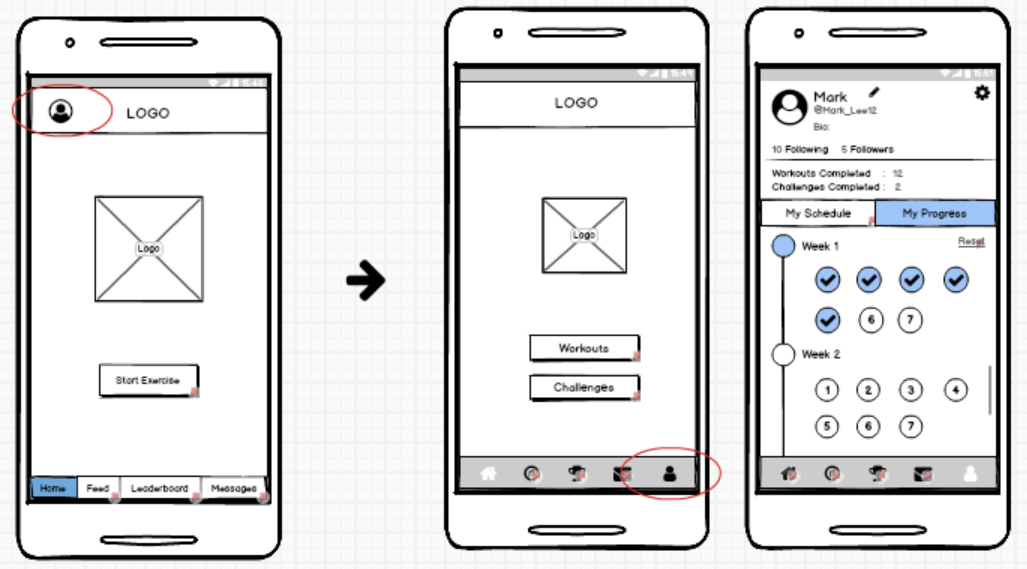
Move My Profile into the navigation bar
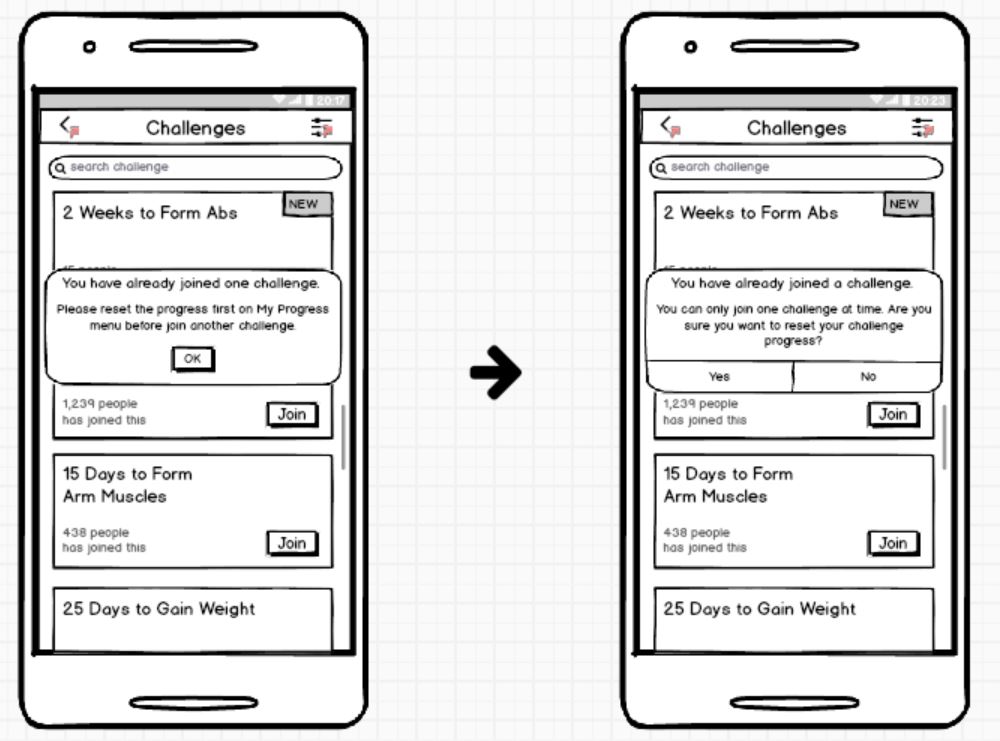
On the 2nd test with 4 people, everything was cleared. They gave me advice to added notes and exercise rate for ourselves. So I decided to add notes and effort rate at the end of the exercise in the final design, and display it on the My Progress details.
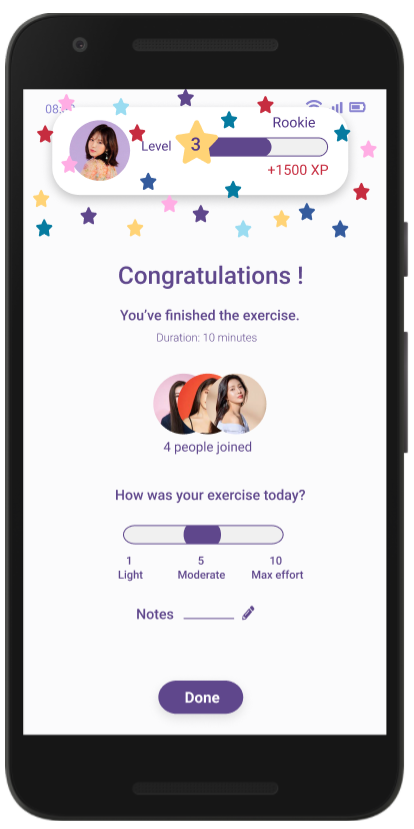
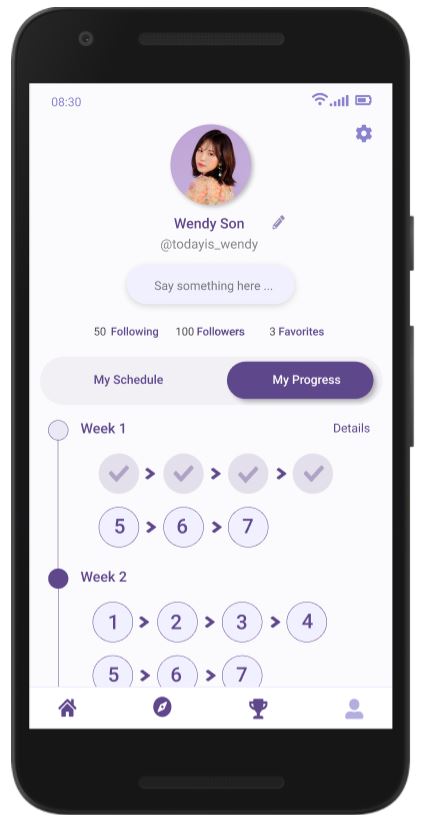
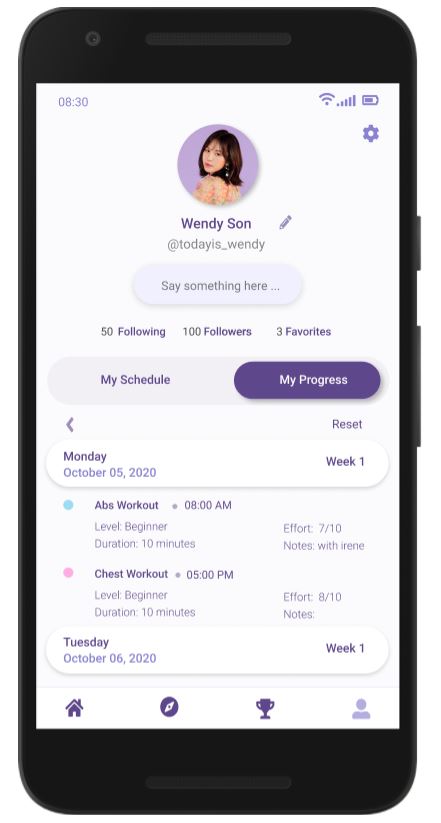
Exercise End, My Progress and details
.gif)
This is my first project of designing a user interface for mobile application. Therefore, I was in doubt and not sure that I can completed this project all by myself. Although I am completely new in UI and UX design, and also I am not skilled yet on several design tools, but I was trying to do it step-by-step. Because I have a strong will to become an UI and UX designer. I trust myself if other people can make it, then I can make it too. I told myself that it is okay to make a mistake, because I am still learning and will always learning to become a better designer.
The first thing that I learned in this course is how to empathize to other people. How to understand people, how they feel and how they interact with something. What I think is good, is not necessarily good to other people too. In this course I have learned how to lay aside my egos and tried to look on the other people insights.
I feel so happy to be a part of this project. Although I am not perfectly skilled yet, I will try my best into a better designer. Finally I can found something that I loved to do. I would like to thank IDF, my participants and all of the people that always supporting me until now :)